1
Find the .eml file
Locate the saved message in Downloads, an email attachment, cloud storage, or an archive folder.
.eml fileSaved message

Upload a saved email and read it directly in your browser without installing Outlook, Apple Mail, Thunderbird, or another desktop application.
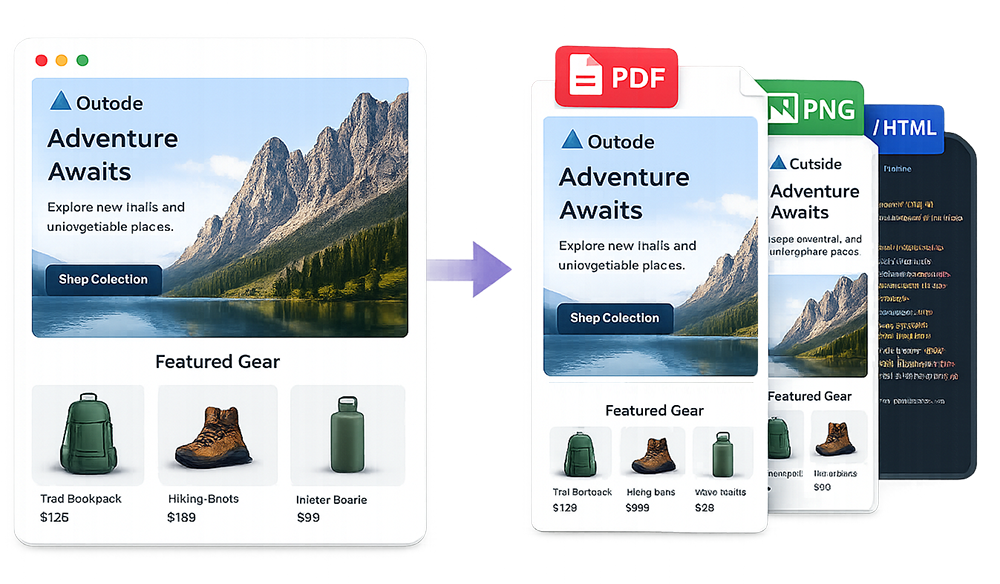
To open an EML file online, upload it to ScreenshotEmails and render the message in your browser. You do not need Outlook, Apple Mail, Thunderbird, or another installed email application.
After the file opens, you can review the email at desktop or mobile width and export it as PNG, PDF, or HTML. This is useful for one-off files, archived emails, shared attachments, and messages opened on a computer that is not configured for EML.
Use a browser-based workflow when your computer does not recognize the file or you do not want to install another application.
Locate the saved message in Downloads, an email attachment, cloud storage, or an archive folder.
Add the file to ScreenshotEmails and wait for the message body to render in the browser.
Review the content, switch viewport sizes, or download PNG, PDF, or HTML.
View the saved message in your browser without installing or configuring a desktop email client.
Open EML FileThe file is usually valid; your operating system may simply not know which app should handle it.
Your computer may not have a mail application registered to open the .eml extension.
A shared or work device may not have your preferred email software installed.
Installing and configuring a full email client is unnecessary when you only need to read one message.
The .eml extension identifies a saved email message. It is commonly used when downloading an individual email, moving a message between applications, preserving an email for records, or attaching one email to another.
EML files often use the MIME email format. That means the raw file may include headers, boundaries, character encoding, HTML, plain text, and binary attachment data. A viewer interprets those parts and presents the message in a readable format.
| Method | When to use it | What to expect |
|---|---|---|
| Online EML viewer | Fast, one-time access | Open in a browser without installing software |
| Outlook, Apple Mail, or Thunderbird | Frequent EML use | Import or open inside a desktop email client |
| Text editor | Technical inspection | Shows raw headers, MIME boundaries, and encoded content |
| Convert to PNG, PDF, or HTML | Sharing and archiving | Creates a more convenient secondary format |
Outlook is only one option. You can use a browser-based viewer, Apple Mail, Thunderbird, or another compatible application. For a single file, an online viewer is usually the fastest because it avoids account setup, mailbox importing, and file-association changes.
An EML file should be treated like the email it contains. The message itself may include links, remote images, or attachments. Open files only from sources you trust, avoid downloading suspicious attachments, and do not enter credentials after following unexpected links.
Security reminder: Viewing a message is different from trusting its content. Verify the sender and destination before clicking links or opening attachments.
An interrupted download or incorrectly generated export may leave out part of the MIME structure.
The email may rely on hosted images that have expired or require access to an account.
Conditional markup and proprietary Outlook behavior may not reproduce exactly in a browser.
Use the EML viewer online, convert EML to PNG, or learn how to convert EML to HTML.
Common questions about reading saved email messages without a desktop mail app.
Upload the file to ScreenshotEmails and render it in your browser.
It is a saved email message that can include headers, text, HTML, images, and attachments.
Yes. A browser-based viewer lets you read the message without Outlook.
Yes. Export the rendered message as PNG, PDF, or HTML.
Your device may not have a default application associated with the .eml extension.
Only open trusted files and use caution with unexpected links or attachments.