1
Upload the EML file
Drop the .eml file into ScreenshotEmails or choose it from your device.
GmailOutlookApple Mail

Turn a saved email into a clean, full-length PNG for sharing, archiving, approvals, portfolios, and campaign documentation.
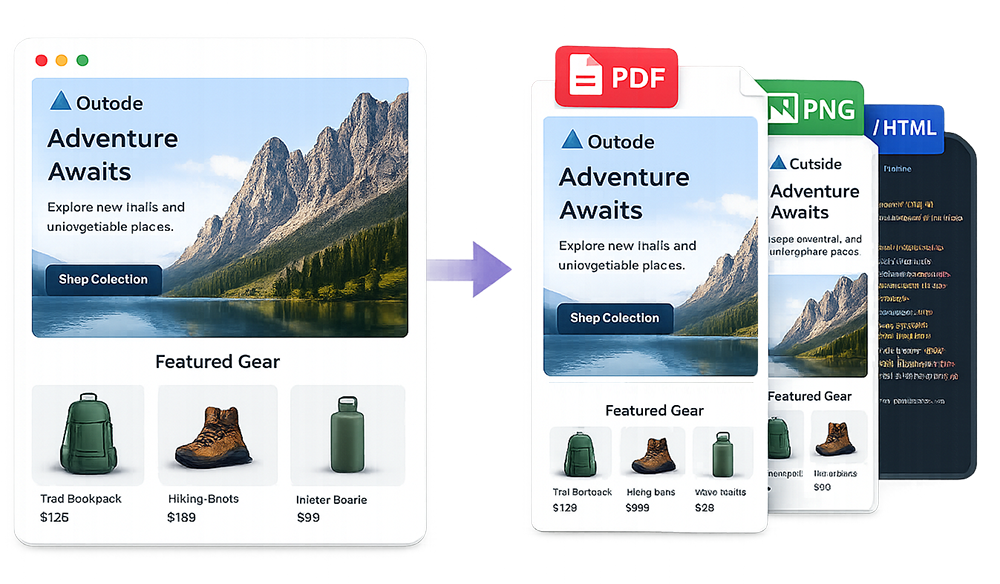
An EML to PNG converter turns a saved email message into an image you can preview, share, archive, or add to a presentation. Upload the EML file to our free email screenshot generator, let the email render, choose desktop or mobile width, and download the full message as a PNG.
This is much cleaner than opening the email in an inbox and taking several screenshots. The final image contains the email creative without browser controls, inbox navigation, account information, or unrelated messages.
Use one saved email file to create a clean, full-length visual export.
Drop the .eml file into ScreenshotEmails or choose it from your device.
Review the rendered message and switch between desktop and mobile widths.
Export the complete email as one full-length image that is ready to share or archive.
Upload once and create a clean image of the complete email without manual cropping or stitching.
Convert EML to PNGEML is useful for preserving message data, but it is not convenient for visual collaboration. Many people cannot preview an EML file directly inside messaging or project-management tools. A PNG displays immediately and is easier to annotate, embed, crop, and add to a document.
| Format | Best use | Primary strength |
|---|---|---|
| EML | Preserving the original email message | Keeps message structure and metadata |
| PNG | Visual sharing, portfolios, inspiration libraries | Easy to preview and embed |
| Formal records and approvals | Portable document format | |
| HTML | Code inspection and reuse | Editable, browser-readable markup |
Many email clients can save an individual message as EML. The exact command may be called Download message, Save As, Export, or Save to file. Once downloaded, the file usually ends in .eml.
Tip: If remote images are no longer available or require authentication, they may not appear in the converted PNG. The email body can still render even when a hosted asset has expired.
Desktop output is useful for presentations, campaign archives, and full-width design review. Mobile output is better for checking stacked content, text wrapping, image scaling, and button sizing. For important creative, export both versions.
Some emails load images from remote servers. If the URL has expired, requires a login, or blocks external access, the image may not render.
Email clients apply their own rendering rules. A browser-based preview can preserve the design well, but it may not exactly match every version of Outlook, Gmail, or Apple Mail.
Some promotional emails create extremely tall PNG files. They are useful for archives, but a PDF or separate desktop and mobile exports may be easier to review.
If the email is still in your inbox, first download it as an EML file. Follow the specific Gmail or Outlook instructions, then upload the saved message and choose PNG from the download menu.
You do not need to send a test email or create an EML file. Paste the original code into the email screenshot tool and download PNG. The HTML screenshot tutorial covers that workflow.
Learn how to save an EML file, screenshot an entire Gmail email, or screenshot an entire Outlook email. You can also use the online EML viewer or convert EML to HTML.
Common questions about converting saved email files into images.
Yes. Upload the EML file, render the message, and download it as PNG.
Yes. ScreenshotEmails exports the complete rendered height as one image.
Yes. Switch between desktop and mobile previews before exporting.
Yes. The same EML file can also be exported as PDF or HTML.
Gmail, Outlook, Apple Mail, Thunderbird, Yahoo Mail, Proton Mail, and many others support EML.
Yes. ScreenshotEmails is free and does not require signup or installation.