1
Select your EML file
Choose the .eml file from your computer or drag it into ScreenshotEmails.
No installationBrowser-based

Open and preview an EML file directly in your browser, then export the rendered email as PNG, PDF, or HTML.
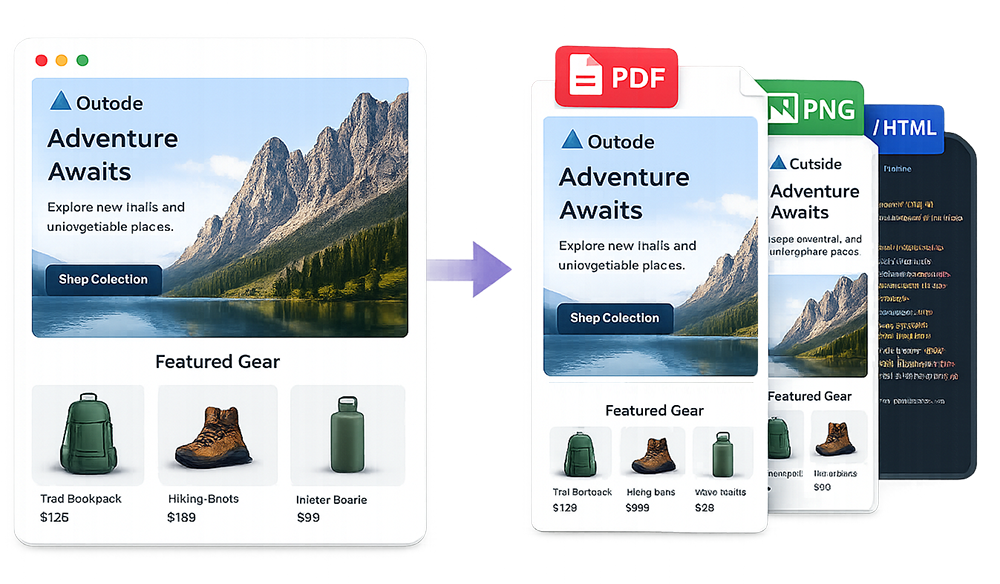
An online EML viewer opens a saved email message directly in your browser. Upload the file to ScreenshotEmails to see the rendered email body, switch between desktop and mobile views, and export a visual or HTML copy. If you want to turn the rendered message into an image, you can also use our free email screenshot generator.
This is useful when you receive an EML attachment, download an old message, work on a computer without Outlook or Apple Mail, or simply want a cleaner way to inspect the email.
Open a saved email in three simple steps without downloading a dedicated viewer.
Choose the .eml file from your computer or drag it into ScreenshotEmails.
View the email body in a clean browser preview without inbox navigation or unrelated messages.
Download the rendered message as PNG, PDF, or HTML for sharing, archiving, or inspection.
Preview the email without Outlook, Apple Mail, Thunderbird, or another desktop application.
View EML OnlineEML files are common, but not every device has software configured to open them.
Open the message without changing your default mail app or importing it into an inbox.
Preview old messages one at a time and export visual copies for documentation.
View the rendered layout, then download PNG or HTML for inspiration, QA, or reconstruction.
An EML file represents a single email message. Depending on how it was saved, it may contain sender and recipient addresses, date, subject, message headers, plain text, HTML content, embedded images, and attachment references.
The file itself is structured text, so opening it in a basic editor often shows MIME boundaries, encoded content, and technical headers rather than a readable message. An EML viewer interprets that structure and renders the email body.
| Method | Best for | Trade-off |
|---|---|---|
| Online EML viewer | Fast, one-off viewing and exports | Focused on preview rather than mailbox management |
| Desktop email client | Managing many messages and accounts | Requires installation and configuration |
| Text editor | Inspecting raw headers and MIME structure | Difficult to read as a normal email |
The EML file may reference images hosted elsewhere. If those URLs no longer work, some graphics may be missing.
Outlook, Gmail, Apple Mail, and browser-based rendering can interpret styles differently. The message structure may be preserved even when tiny visual differences remain.
Images, documents, or tracking links that require a logged-in session may not be available outside the original inbox.
Privacy note: ScreenshotEmails processes uploaded EML files and pasted HTML in your browser session and does not store your email content on its servers.
Attachment handling depends on the structure of the EML file and the viewer's purpose. ScreenshotEmails is designed primarily to render and export the email body. If an attachment is critical, keep the original EML file and use a compatible mail client or archival tool to extract it.
A saved message may be valid even if your device has no default app for .eml files. Open the browser tool and select the file directly; you do not need to change your system's file associations or import a mailbox.
Headers, MIME boundaries, and encoded text are normal parts of an EML file. Use a viewer to render the message body. Renaming an Outlook MSG file to .eml will not convert its format.
Download the original message again. A partial download or a file containing only message headers may not contain a renderable body. Keep the original file if you need its metadata or attachments.
For one message, a browser viewer avoids installing a mail app. For mailbox management or attachment extraction, use a compatible desktop mail client. A text editor is useful for inspecting raw source, rather than reading a formatted message.
Treat the file like the email it contains. Do not follow unexpected links or enter credentials on unfamiliar pages. Remote images can make requests to their original hosts when the email is rendered. See our privacy policy for details.
Need a visual export? Convert EML to PNG. Need the code? Convert EML to HTML. Learn how to save an EML file, how to screenshot an entire Gmail email, or how to screenshot an entire Outlook email.
Answers to common questions about viewing saved email files in a browser.
Upload the file to ScreenshotEmails and render it directly in your browser.
No. You can preview the message without installing or configuring a desktop email client.
Yes. After rendering the message, download an HTML copy.
Yes. Export the complete rendered email as PNG or PDF.
The viewer focuses on the email body. Attachment support can vary depending on the file.
Yes. ScreenshotEmails is free and does not require an account.