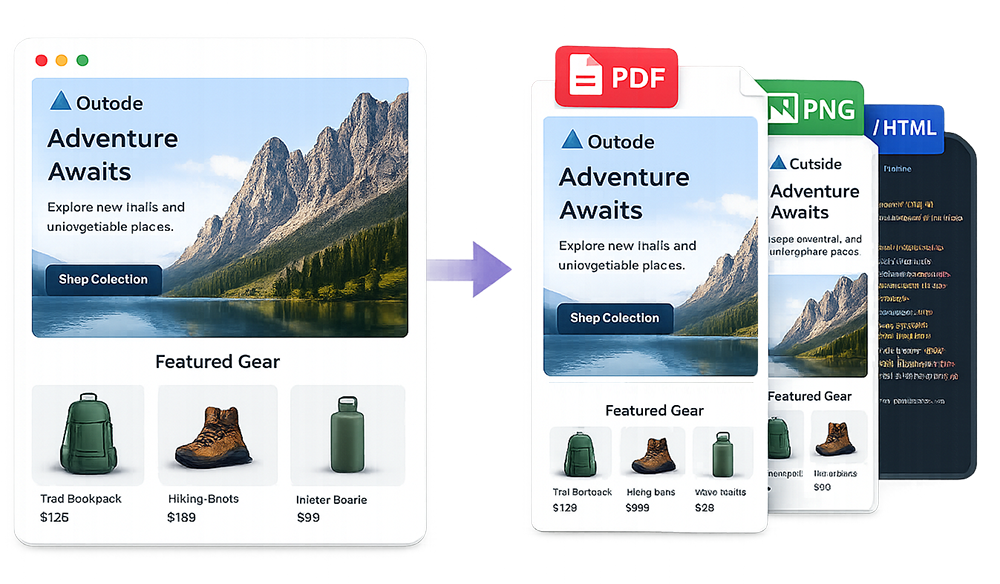
If you’ve ever tried to capture a full-length email screenshot for a portfolio, presentation, or client approval, you’ve probably hit the same problems: awkward browser cropping, missing sections, inconsistent widths, and lots of manual cleanup.
ScreenshotEmails solves that by rendering your email and exporting clean, full-length PNG screenshots automatically — no stitching, no cropping, and no extra tools. It's also completely free to use!
Create a Full-Length Email Screenshot in Seconds
Paste your email HTML or upload an EML file and download desktop + mobile PNG previews instantly.
Screenshot an EmailWhat is a Full-Length Email Screenshot?
A full-length email screenshot is a single image that captures the entire email from the top header to the very bottom — including long body content, footers, and legal text — without cutting anything off.
These screenshots are commonly used for:
- Email marketing portfolios (show your best campaigns)
- Client approvals (send clean previews)
- Internal reviews (design and QA)
- Presentations (slides, decks, reporting)
How to Create a Full-Length Email Screenshot
Option 1: Upload or Paste Your Email HTML
- Open ScreenshotEmails at screenshotemails.com
- Upload/Paste your email HTML into the tool
- Generate previews to render the email
- Download your full-length PNG screenshots for desktop and mobile
This is the best option if you built the email or have access to the raw HTML.
Option 2: Upload or Paste an EML File
- Export an email as an EML file from Gmail, Outlook, Apple Mail, etc.
- Upload the .eml file into ScreenshotEmails
- Generate previews to render the email
- Download the full-length screenshots as PNG files
If you need help getting an EML file, check out: How to Save an EML File.
Why ScreenshotEmails?
Unlike other tools, ScreenshotEmails is built specifically for email creatives — it renders emails at the right widths and downloads high-quality images that are already cropped and ready to share.
- No manual cropping — screenshots are automatically trimmed
- Desktop + mobile previews — export both versions
- Works with HTML or EML — use whichever you have
- Fast and simple — paste, render, download
Ready to Screenshot Your Email?
Open the tool and download a full-length email screenshot in seconds.
Try ScreenshotEmailsFrequently Asked Questions
Do I need to pay to use the tool?
No — ScreenshotEmails is free to use.
Do I need to download or install any software or browser extensions?
No — ScreenshotEmails is completely browser-based.
Can I screenshot long emails without cutting anything off?
Yes — ScreenshotEmails exports a full-length image of the entire email, including long sections and footers.
Do I need the HTML to use this?
No. If you don’t have the HTML, you can upload an EML file exported from your email provider.
What format do I get?
You’ll download PNG screenshots that work great for websites, documents, and presentations.
Is it secure?
Yes — everything you upload is only accessible to you during that specific browser session. None of your email code or content is sent to our servers.
Where do I start?
Go to ScreenshotEmails, paste your email HTML (or upload an EML file), and download your full-length screenshots.